
Bulk WhatsApp Messaging
Bulk WhatsApp campaigns, single sends and AI replies in one panel
Upload an Excel or CSV file, schedule campaigns, track every message and let an AI agent answer your customers. Connect your own WhatsApp number by QR code, or use the official WhatsApp Business API.
Start free trialSee the bulk platform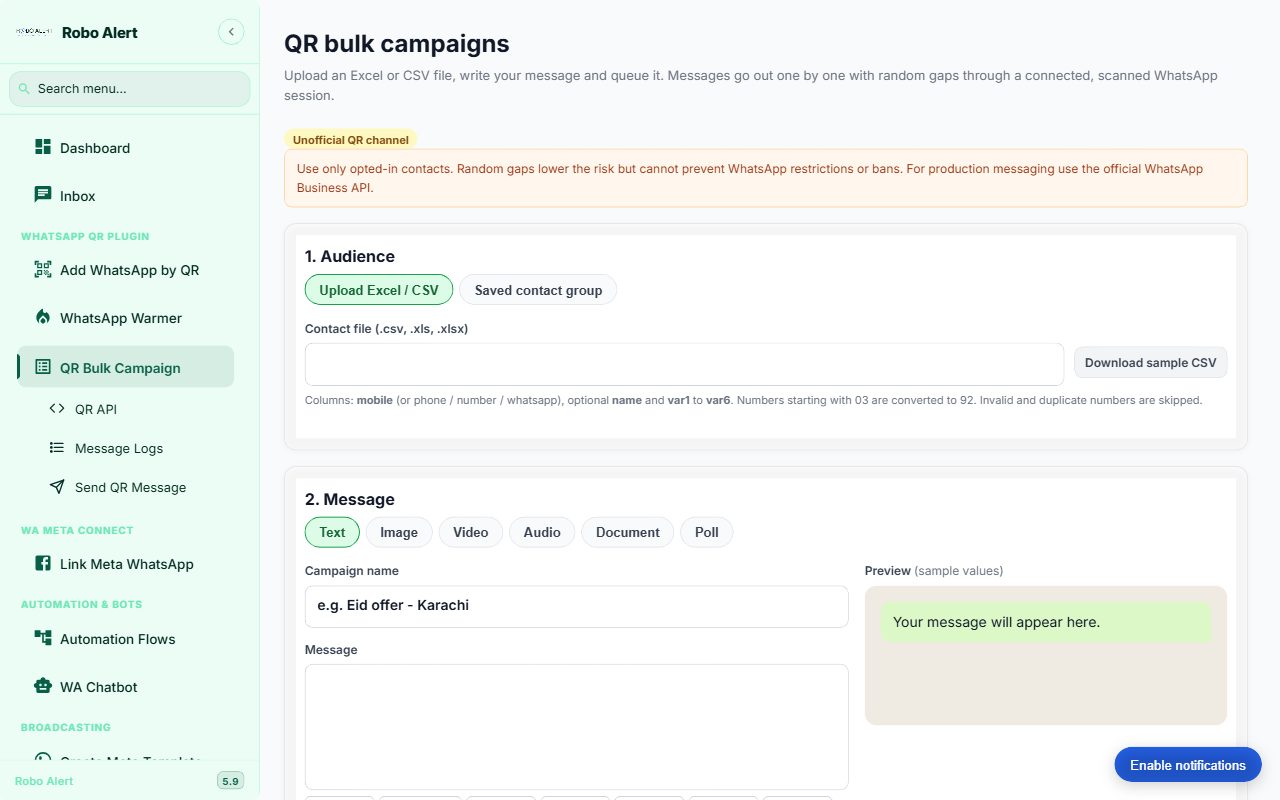
What you can do
Everything below is live in the product today.
Bulk from Excel or CSV
Personalise with name and variable fields. Invalid and duplicate numbers are skipped before sending.
Single send
Send one text, image, video, audio or document message with a live preview.
Schedule and pace
Send now or schedule. Messages go out one by one with random gaps.
Logs and resend
Filter by status, search by number and resend failed messages.
Shared inbox
Replies land in one inbox with a drag-and-drop chat board.
AI auto-reply
Bring your own Gemini, OpenAI or DeepSeek key. Start in draft mode, then switch to auto-reply when you trust it.
Two ways to connect
QR connection (unofficial)
Link your own WhatsApp number by scanning a QR code, no Meta approval needed. Best for small, opted-in audiences and testing.
Official WhatsApp Business API
Connect through Meta Embedded Signup and use approved templates. Best for large or business-critical messaging.
Questions
How is this different from your order-alert service?
Robo Alert order alerts automate store events such as confirmations and delivery updates. The bulk platform is for campaigns, single sends and conversations that you start yourself.
Can I try it before paying?
Yes. A free trial plan is available. Create an account, scan your QR code and send a first test message.
Can I send Excel contacts directly?
Yes. Upload .xlsx, .xls or .csv with a mobile column, and optionally name and variable columns.
Send your first campaign today
Create an account, connect your number and send a test to yourself.
Start free trial